
Searching Lee Cases by Name
Start by figuring out which court holds the case. For Superior Court, open the Georgia Courts E-Access directory. Pick Lee Superior and follow the PeachCourt link. The public Magistrate civil slice lives in the official Lee Magistrate CM Web Search. Probate, juvenile, Leesburg municipal, and Smithville municipal records appear in neither place.
The Magistrate Party form needs at least two letters. Type the last name first, then the first, and leave the suffix off. Try status All before you filter out inactive matters.
- Select the court class that fits the case type.
- Enter the party name in the format required by that portal.
- Use a narrow filing-date range if the search returns too many matches.
- Compare the court, party roles, filing date, and case number before opening a result.
- Save the exact number and event title for any clerk request.
| Field | Required | Format or options |
|---|---|---|
| Party Name | Yes | Two letters minimum; last then first; no suffix |
| Court Code | No | Blank or MG | MAGISTRATE COURT |
| Court Division | No | Dynamic list; do not invent an unseen division |
| Date From / To | No | MM/DD/YYYY |
| Case Status | No | All, Active, or Inactive |
Lee Magistrate's Three Search Tabs
The Tyler guest home offers three tabs. They are Search By Party, Search By Associated Party, and Search By Case Number. Associated Party applies the same last-name-first rule and the same filters. The difference is its starting point. That starting point is a person linked to the case rather than its main party block. The portal keeps Search (F8) and Clear (F5) controls.
One limit matters. The county's Magistrate page says reviewing civil files from 2023 forward requires an account. Treat the guest shell as limited public access. It is not a promise that every detail or image will open. Tyler also warns that the online record is not necessarily the official record. It suggests trying spelling variations too.
Searching Lee by Case Number
Lee Magistrate posts no safe full sample number on its blank form. So don't guess punctuation. Don't invent a civil or criminal prefix either. Split the number exactly as the form asks: a four-digit numeric year plus a numeric sequence of up to six digits.
Take the year from official paperwork and put it in the Year box, with the sequence in the Case Number box. Court code may be blank or MG. Division is dynamic, and status defaults to All. The rendered form has no case-type selector, even though commented markup mentions one, so never point a reader to a hidden control.
PeachCourt fields vary for Lee Superior. Use the complete Superior case number from a notice, an order, or a prior docket entry, and confirm the court after the search. A number search beats sorting through several people who share a name.
Narrow an Overloaded Lee Search
The Magistrate interface warns you when a query returns too many records. The fix is a narrow Date From and Date To range, not a guessed middle name or court division. Run status All first. Otherwise a closed case can drop out silently. When spelling might differ, try the variation that appears on the court paper.
Got nothing back? Remove optional filters one at a time. Then ask whether the case predates the advertised 2023-forward civil window, belongs in Superior or another court, or carries a restricted status. An empty screen never proves a case never existed. If you know the court and date but the portal stays blank, contact the clerk who owns the case.
What a Lee Case Search Returns
Think of a result as an index to a court matter. Field depth varies by court and provider. It may carry enough detail to confirm a case and find an event, yet not every filed page.
| Case number | The court's identifier, which should be saved exactly as shown. |
|---|---|
| Court and division | The court class and any division published by the system. |
| Parties | Names and roles made public for that case type. |
| Filed date | The opening date used to distinguish similar results. |
| Status | Active, inactive, open, closed, or another provider label. |
| Events | Chronological filings, settings, proceedings, and disposition entries. |
| Documents | Available images or links; access may require an account, payment, or authorization. |
The event list is not the document itself. A certified copy is a third layer, one the clerk authenticates. Decide which layer answers your need before you pay or file a request.
Choose Lee Superior in E-Access
Georgia offers a directory, not one statewide screen that searches every Lee County court. Choosing Lee Superior in E-Access redirects to PeachCourt and asks for an account. The PeachCourt search page presents the provider's framed entry point, which is the account-gated route for Lee County case search access.

Getting to the provider frame is only the first step. Search coverage, event detail, and document buttons vary by case and court. Sealed, adoption, proposed unsigned, and other excluded items may not be available.
Lee PeachCourt Registration Fields
The PeachCourt registration page lets attorneys and non-attorneys create an account for free. The form asks for last and first name. It also wants email and confirmation, password and confirmation, and a secret question and answer. It also requires a reCAPTCHA and acceptance of terms. The registration screen itself exposes no Lee County case, just the gate.
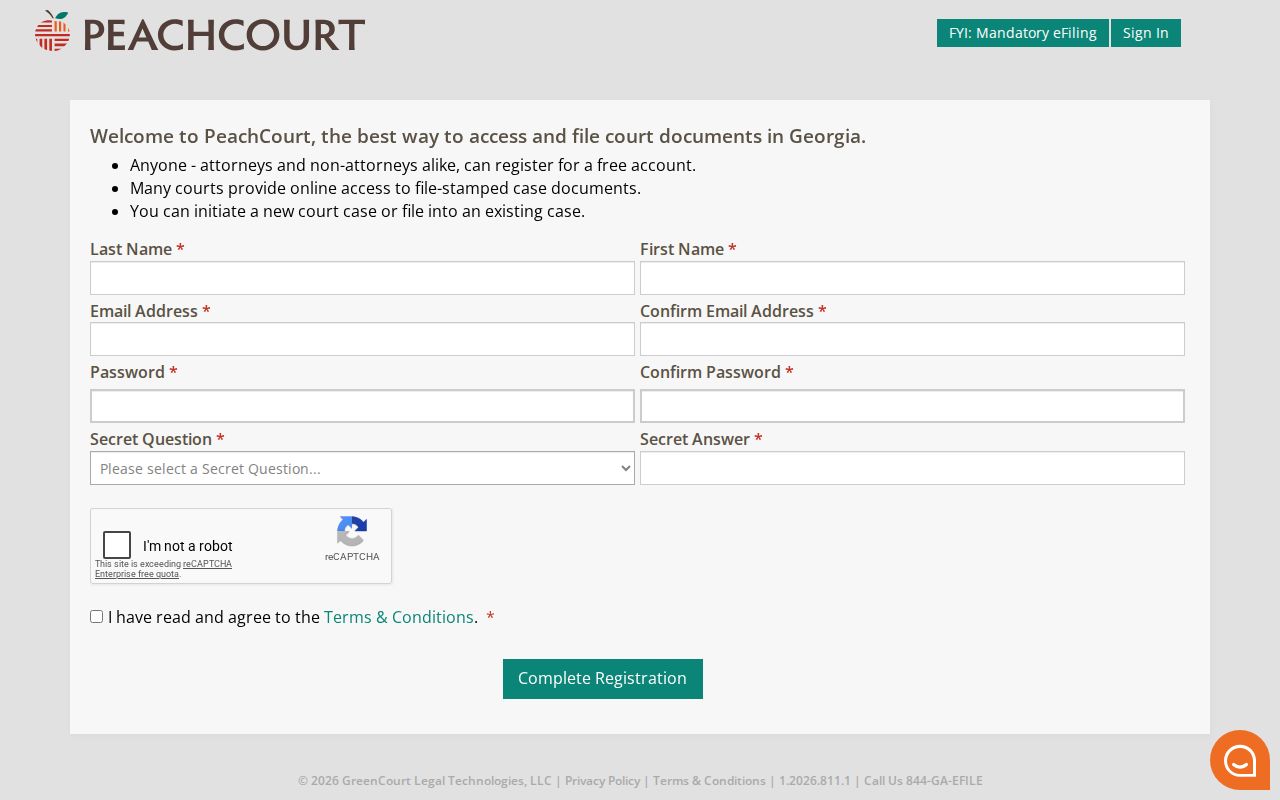
Free registration does not make every document free. Provider help states that e-access and document charges may apply and can change. Check the current fee information before opening a paid item.
Statewide vs County Case Search
Each official channel answers a different question. The Georgia directory routes you to a participating Superior provider, Tyler searches the local Magistrate civil slice, and neither one covers every Lee County court.
| Channel | Coverage | Best use |
|---|---|---|
| Georgia E-Access and PeachCourt | Participating Lee Superior records | Superior civil and criminal case summary, events, and available documents |
| Lee Magistrate Tyler | Local public Magistrate civil slice, advertised from 2023 | Party, associated-party, or year-and-number search |
| Probate office | Estates, guardianships, marriage, and related Probate records | Direct office inquiry or copy process |
| Municipal clerks | Leesburg or Smithville traffic and ordinance cases | City date, citation, or docket question |
| Clerk counter | Older, missing, unclear, or certified court material | Authoritative file and copy request |
No Single Lee Search
One search will not cover every Lee County court. Probate and Superior share the courthouse at 100 Leslie Highway, but a Probate estate still needs its own lookup. A traffic ticket written in Leesburg belongs to the municipal court. Smithville offers no public case-search form. Juvenile records carry their own access limits. A statewide search tool cannot cross those lines for you.
Need a human? Superior sits at 100 Leslie Highway, where Sara Clark's office takes calls at 229-759-6018. The Magistrate Annex, at 104 A Leslie Highway, answers 229-759-6016 or 229-759-6031. Probate can be reached at 229-759-6005. Have the name, date range, case type, and any case number handy before you call.
Access and Restricted Lee Cases
Plenty of Lee County court records stay out of public view. Sealed cases, juvenile records, and adoption files can be hidden or blacked out. So can protected family details and personal identifiers. Even an open case may hold one sealed filing. A restricted case might show only a shell entry, or nothing useful at all. Keep two things straight. Left out of a portal is not the same as closed by law.
Public search limit: Uniform Superior Court Rules 21 and 21.6 address access and protected identifiers. Georgia's Open Records Act supplies general access rules and exemptions, but it does not create one public portal for every court.
Ask the clerk exactly what is restricted, whether it is the whole case, one filing, or a single field. Ask too whether a redacted copy exists or a court order is required. And a missing result does not mean the record was erased.
Clerk Fallback for Lee Searches
A portal that comes back empty is not the end of the road. First check your spelling. Then check the court class, the date range, and the status, transfer, or appeal filters. Still nothing? Call the clerk who holds the file. For Superior matters, ask for a docket printout, a plain copy, or a certified copy. Give the exact case number and title. For Magistrate, ask whether an older file sits at the Annex.
Lee Superior has no posted certified-copy fee or public-terminal procedure. So ask the clerk about the current cost, payment methods, ID requirements, and turnaround time. Keep in mind that what you see on a portal is not a certified record. The Lee County criminal dockets page covers the criminal event layer in more depth. The Lee County civil dockets page explains civil venue and filing roles.
Note: When a portal disclaimer, status label, or event summary conflicts with the official record, the court's file and its signed orders control.